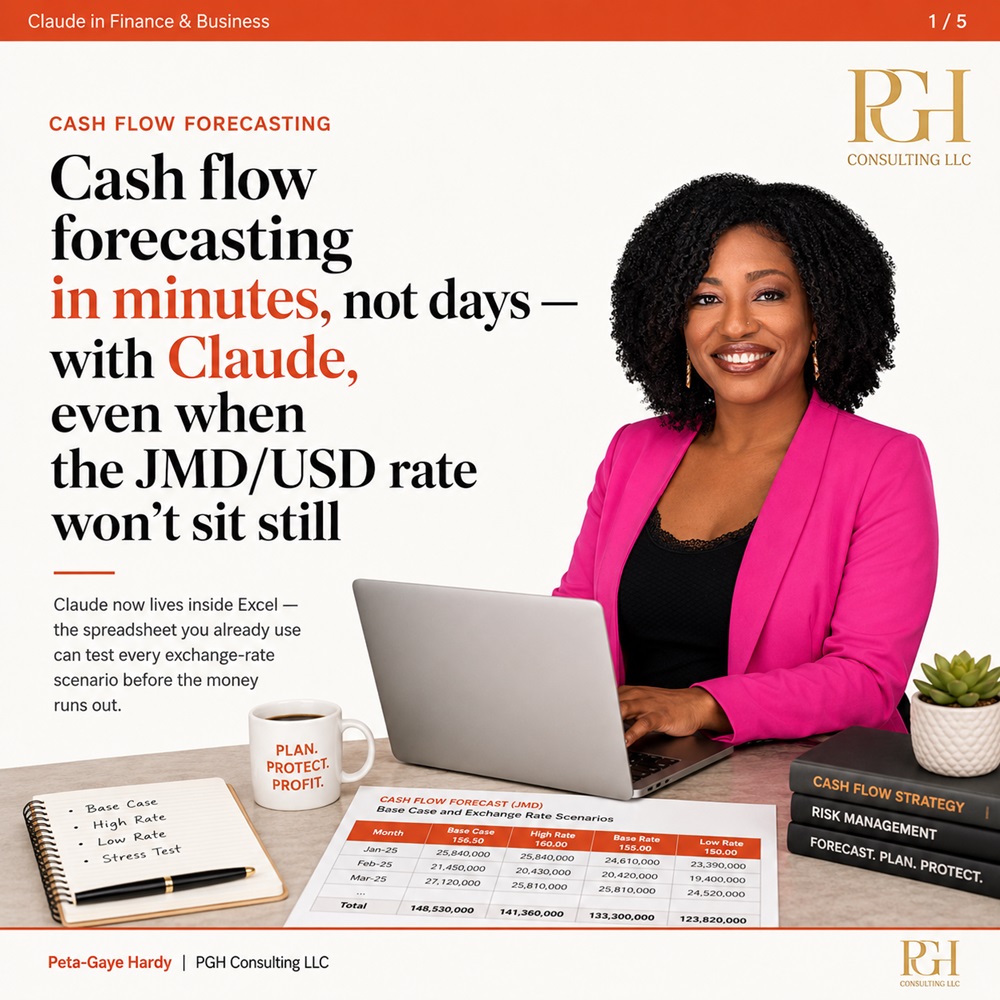
For Jamaican importers and business owners, sleepless nights are rarely caused by slow sales. Instead, the biggest headache stems from the foreign exchange gap that eats into potential profits: paying overseas suppliers in US dollars upfront, while waiting 60 days or more for local customers to settle invoices in Jamaican dollars. When the JMD-USD exchange rate shifts unfavorably during that waiting period, a deal that looked profitable on paper quickly turns into a loss. This is a pervasive challenge for small, open economies where costs are often tied to a global reserve currency, while revenue is generated in local tender. Exchange rate volatility does not wait for business owners to adjust, and static cash flow forecasts built on last month’s rates become obsolete almost as soon as they are saved. While no technology can fix volatile exchange rates, artificial intelligence is transforming how small finance teams assess risk and prepare for multiple future outcomes before they unfold. This week’s edition of the weekly *AI in Finance & Business* column explores Claude, Anthropic’s AI assistant that now integrates directly into Microsoft Excel, a tool that remains the backbone of financial work for most Jamaican businesses. Unlike the previous column’s deep dive into ChatGPT for Google Sheets, Claude is built for heavy-duty financial modeling and risk analysis, making it a particularly strong fit for managing currency exposure. Claude is far more than a simple chatbot tacked onto the side of your spreadsheet. It can parse an entire workbook, map the connections between different tabs, audit existing formulas for errors, and run multiple sensitivity analyses simultaneously – the exact function that matters most for businesses navigating currency risk. Users input requests in plain English, and Claude handles the entire spreadsheet workflow automatically. Before getting started, there is one key practical detail: the Claude Excel add-in is only available to users with a paid Anthropic subscription, with no free tier offered. Installation is straightforward: users can find it in the official Excel add-ins store, add it to their desktop app with one click, and sign in to their existing paid account to activate it. The traditional approach to cash flow forecasting for currency risk forces teams to build one static model with a single exchange rate assumption, then cross their fingers that the prediction holds. Adjusting for a new rate requires hours of manual formula edits, so most small teams only ever model one expected future, leaving them blind to downside risks. Claude collapses that entire process from an afternoon of work into just a few minutes. A user can open their existing workbook and prompt Claude to “build a 13-week cash flow forecast with columns for USD payables and JMD receivables, and set the exchange rate in a single editable cell.” From there, they can ask for a full sensitivity analysis: “show me the lowest weekly cash balance if the exchange rate moves between 2% stronger to 5% weaker against the JMD.” In seconds, rather than days, business owners get a full range of potential outcomes instead of one unreliable static forecast. Purpose-built forecasting tools can complement Claude’s capabilities to create a more robust system. Platforms like Float integrate directly with popular accounting software such as QuickBooks and Xero, pulling in live transaction data automatically to generate rolling forecasts that update as invoices get paid. In this setup, Claude handles the complex “what if” modeling, while Float keeps the core underlying financial data current. For businesses with steady transaction volume, forecasts are never more than 24 hours out of date. To put this workflow in context, consider a mid-sized Jamaican manufacturer with a large USD payment due in three weeks. Under the old system, answering the question “will we have enough cash to cover this payment?” would take two full days of number crunching. Today, the treasury officer can open their existing Excel model, ask Claude “what is our lowest cash balance over the next 21 days if the JMD weakens by 3% against the USD,” and get a complete answer before their coffee gets cold. If the result shows a potential cash shortfall, the business has three full weeks to act: they can draw on a credit facility, speed up outstanding customer collections, or delay non-essential discretionary payments. The biggest shift here is not the elimination of currency risk – that remains unavoidable for Jamaican importers. Instead, it gives business owners time to respond to risk, and allows a single team member to complete work that once required an entire small finance department. Before uploading sensitive financial data to any AI tool, security is the top priority, and Claude’s data policies have clear distinctions depending on the subscription plan a user chooses. For Anthropic’s business tier plans – Claude for Work, Team, and Enterprise – user data is never used to train Anthropic’s AI models. This protection is written into commercial terms, no confusing settings need to be adjusted, and all data is encrypted both in transit and at rest. The policy is different for personal paid plans (Pro and Max): as of late 2025, conversations from personal plans may be used for model training unless users actively opt out of data usage in their account privacy settings. For finance teams working with sensitive company data, the best practice is simple: use a Team or Enterprise plan, where data privacy is enabled by default. If you are using a personal plan, turn off model training in your privacy settings before uploading any sensitive content. Always mask personal identifiable data such as client names, employee salaries, and full bank details before uploading, just as you would avoid sharing that information with a new colleague you have not yet vetted. It is also critical to understand what Claude cannot do for your business. Claude cannot predict where the JMD-USD exchange rate will go, and any tool or person that claims to predict exchange rates with certainty is almost certainly selling a product you do not need. What Claude does excel at is fast arithmetic and scenario modeling: it takes the assumptions you provide and maps out their potential consequences. The assumptions and final business decisions still rest with the user, so always cross-check model logic, compare totals against actual bank balances, and never act on an AI-generated forecast you have not reviewed personally. For businesses interested in testing this workflow, the column outlines four simple steps to try this week: First, open Excel and ask Claude to build a 13-week cash flow forecast with a single editable exchange rate cell that updates the entire model when changed. Second, prompt Claude to run a sensitivity analysis across three core scenarios: base rate, stronger USD, and weaker USD, then compare the lowest weekly cash balance for each outcome. Third, ask Claude to automatically flag any week where your closing cash balance falls below a pre-set threshold. Fourth, if you already use QuickBooks or Xero, test an auto-sync forecasting tool like Float to pull live transaction data, then feed that updated data into your Claude model for analysis. Always remember to review all assumptions and final totals before acting on any forecast. Next week’s column will continue the series, exploring how Jamaican businesses can build an interactive financial dashboard from a single plain English prompt, turning static spreadsheets into explorable tools for managers. This article was written by Peta-Gaye Hardy, founder of PGH Consulting, LLC, a firm that helps finance and operations teams adopt AI in practical, low-risk ways. Hardy is based between Jamaica and the United States, and more information about her work can be found at www.pghconsultinggroup.com, or on Instagram @pghconsultinggroup. Disclosures: This content is for informational purposes only and does not constitute investment, tax, legal, accounting, or foreign exchange advice. Exchange rate movements are inherently uncertain and cannot be reliably predicted. The Claude Excel add-in requires a paid Claude subscription. The author holds no commercial relationship with Anthropic, Microsoft, Float, or any other product mentioned in this column, and received no compensation for this feature. Readers should always consult a qualified financial professional before making any business decisions.
Cash flow forecasting in minutes, not days — with Claude, even when the JMD/USD rate won’t sit still